

Description


Product Description


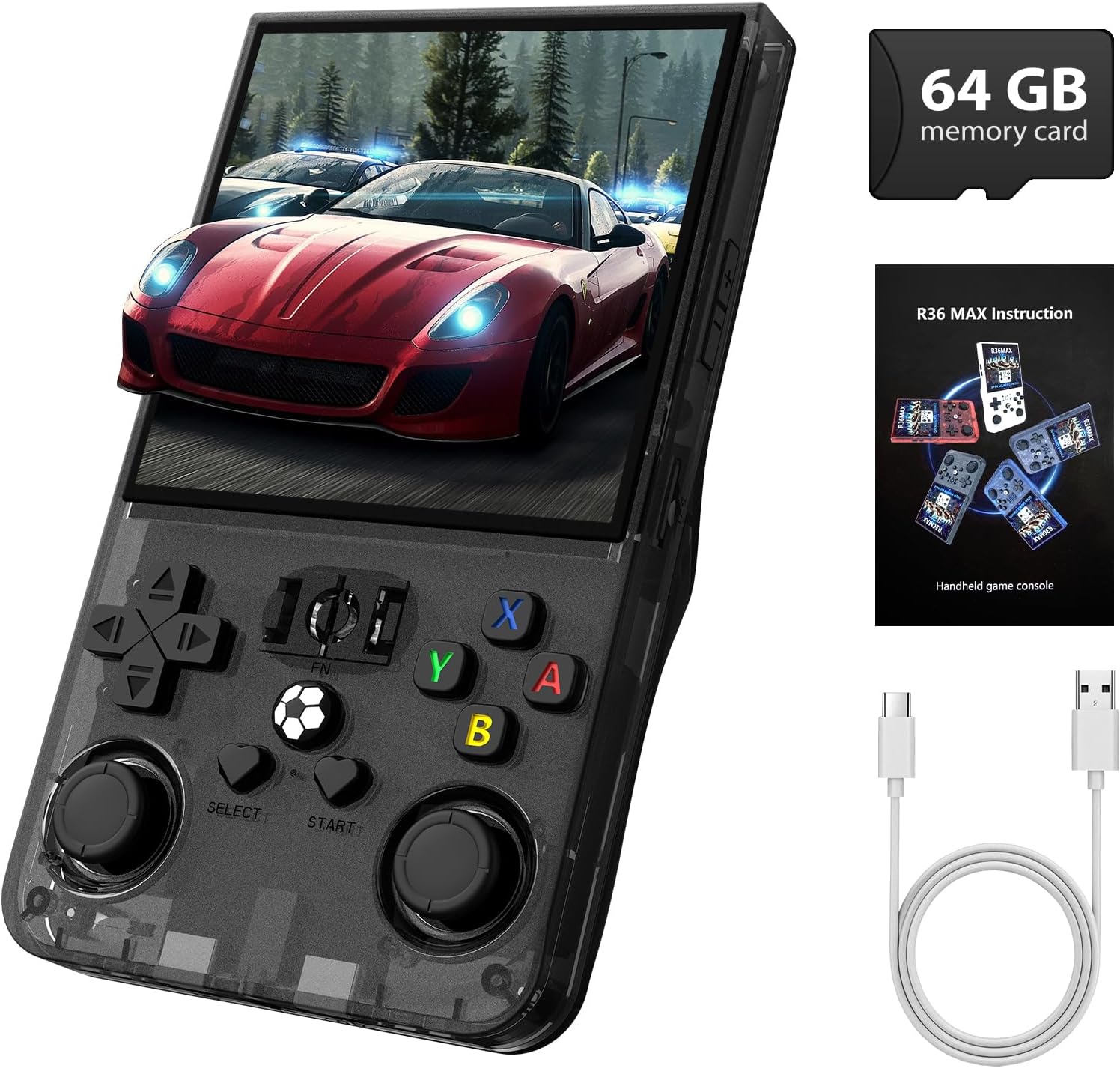
【Massive Preloaded Retro Game Library】Step into the golden age of gaming with the R36MAX retro handheld game console, featuring preloaded classic titles. This handheld game console effortlessly runs beloved 2D adventures and smooth 3D classics, delivering lag-free performance for hours of nostalgic fun. From retro platformers to timeless puzzles, its premium processing power rivals modern consoles, making it the ultimate retro gaming console for enthusiasts.
【Stunning 4.0-Inch IPS Screen】This Mini Retro Game Console With 4.0-inch IPS Screen 720*720 high resolution makes your game console screen details more vivid. Enjoy bright colors and sharp graphics that enhance your gaming experience. The full lamination technology reduces glare and provides a crystal-clear view from any angle, making hand held game console perfect for gaming on the go.
【On-the-Go Gaming with Longevity 】Designed for convenience, the R36MAX game console comes with a powerful 4000mAh battery that provides up to 6 hours of gameplay on a single charge. This makes it the perfect companion for your travels, ensuring you have entertainment at your fingertips wherever you go. With built-in speakers and a 3.5mm headphone jack, you can easily enjoy your games peacefully or share the fun with friends!
【Expansive Games Storage Options】This R36s handheld game console comes pre-loaded with 18000 games and supports more than 30 emulators. With its 64GB storage capacity, you can enjoy a vast library of games, and there’s an option to insert an additional TF card to expand your game collection even further
【Ergonomic Design for Comfortable Gaming】XISKT retro gaming console handheld boasts an ergonomic design, making it comfortable to hold and operate for extended periods. Take full control of your games with dual joysticks and a full key layout. Whether you’re jumping, shooting, or racing, the R36MAX provides precise and comfortable controls for all types of games.
【R36MAX Fixed Screen Operation Steps】In the game interface, press Select + X to bring up the submenu, then press the B button to enter Quick Menu > Core Options > Display Rotation. Choose Manual, Landscape, or Portrait display mode, and press the A button to confirm. Once you re-enter the game, the screen orientation will be displayed according to the last saved setting.



![4 Pcs Back Paddles for PS5 Edge Controller, Metal Rear Paddles Trigger Buttons Replacement Grip Parts for PS5 DualSense Edge Wireless Controller(Black) [PlayStation 5]](https://m.media-amazon.com/images/I/5195+f64LBL._AC_SL1500_.jpg "4 Pcs Back Paddles for PS5 Edge Controller, Metal Rear Paddles Trigger Buttons Replacement Grip Parts for PS5 DualSense Edge Wireless Controller(Black) [PlayStation 5]")